There’s a pattern I’ve started to notice with software. It doesn’t usually fail all at once. It decays. At first, it’s just a flicker. A small thing. Easy to ignore. Then another. Then a few more. And before long, the tool you’ve built entire systems around starts quietly undermining you.
That’s what happened to me with Microsoft OneNote. I’ve been using OneNote since 2003, back when it first appeared as part of Microsoft Office. At the time, it was revolutionary. A digital notebook that actually worked the way writers think? Groundbreaking.
I built a lot on top of it. Over the years, I’ve poured a frankly ridiculous amount of information into OneNote—story ideas, research, clipped articles, whole series bibles the size of a George R.R. Martin novel and the strange little fragments that seem meaningless until they suddenly become a novel. I’ve built content calendars, contact management systems, production schedules, and project management systems in the app, too.
And because I used it daily, my processes evolved around it. Slowly. Organically. Efficiently. Until they didn’t.
The Slow Decline
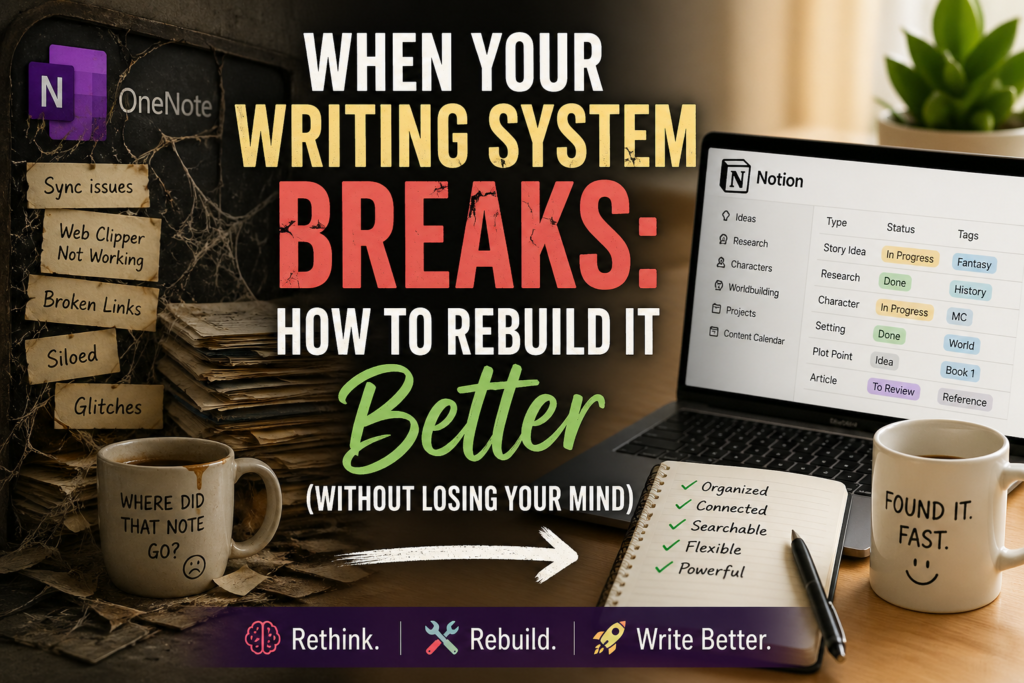
The first warning signs were easy to brush off. Syncing between devices would occasionally fail. Nothing dramatic; just enough to make you wonder if you’d imagined saving that note on your phone.
Then the web clipper broke. It stopped working entirely for about a month. Then it came back, without explanation, like a cat that had wandered off and decided to return. After that, it worked… intermittently. Which is worse.
And then came the glitches. Small, frequent, irritating. The kind you can work around. The kind you shouldn’t have to.
The Breaking Point
What finally did it wasn’t dramatic. It was one missing function. Links. Specifically, links to locations inside OneNote.
At some point, they just… stopped working properly when pasted into non-Microsoft apps. What used to be a seamless way to connect ideas across tools became useless. And that was the moment it clicked. This wasn’t just a buggy app anymore. It was a silo.
If a tool won’t play nicely with the rest of your workflow, it doesn’t matter how good it is in isolation. You’re doing more work just to keep using it. That’s not a tool. That’s a liability.
Looking for a Replacement
So I went looking. I considered Evernote, but its current pricing makes it a hard sell for what I needed. Google Keep exists, but “basic” is doing a lot of heavy lifting there. Which left me staring, somewhat reluctantly, at Notion.
I’d tried Notion before. It did not go well. I got caught up in the hype about the app when it first came out, but my test runs were discouraging because I made the same mistake most people make: I tried to force it to behave like OneNote.
It doesn’t. And if you try, it will fight you every step of the way.
The Shift That Changed Everything
This time, I approached working with Notion differently. Instead of asking, “How do I recreate my notebook?”, I asked: “What am I actually trying to do?”
That question changes everything. Because the answer isn’t “take notes.” The answer is:
- Store ideas
- Organize information
- Retrieve it quickly
- Connect related pieces together
And once you look at it that way, something interesting happens. You realize that Notion isn’t really a notebook at all. It’s a database.
Wait—A Database?
Before your eyes glaze over, stay with me. “Database” sounds technical. It isn’t, at least not in this context. All it really means is this: Instead of storing information as pages in a stack, you store it as entries you can sort, filter, tag, and connect.
Think about what that means for a writer. Instead of a pile of notes:
- Your story ideas can be sorted by genre, or “part” (is it an idea about a character, conflict, a setting?)
- Your research can be tagged and cross-referenced
- Your drafts can be linked to characters, settings, and timelines
You’re not just storing information. You’re shaping it into something usable.
By the way, this post is not about me urging you to use Notion. It’s about what came next in my process of switching to Notion.
The Cost of Changing Systems
Now, here’s the part people don’t like to talk about. Switching systems is expensive. Not in money (though sometimes that too), but in effort.
I had to rethink how I process information every day. Some of my workflows had to be rebuilt from scratch. People I work with had to adjust how they do things as well.
This is why I don’t jump on new tools quickly. Because tools aren’t just tools. They’re foundations. And changing foundations is disruptive.
The Unexpected Upside
But here’s the thing. Once I stopped trying to replicate my old system and started building something suited to the new tool, many steps and tasks got easier.
Here’s a for instance: Instead of scrolling through a month’s worth of scheduled content to find out what posts and emails are due tomorrow, that I need to write today, I can filter the whole schedule to just show the posts and emails due tomorrow, and put them into timeslot order, or sorted by pen name… The way you can filter, sort and display information is essentially endless, and makes life a lot simpler. It also reduces the chance that I will miss an important piece of content.
Some things I couldn’t do before became possible; including schedule a whole year or more of posts and emails at once (instead of manually replicating the schedule month by month).
In a way, I wish I had made the move to Notion about, oh, four years ago, when I was first starting to write the Once and Future Hearts series (written under my real name). That series has a cast of thousands; and most of them are names and characters from the mythology itself, along with their pre-determined relationships and family trees. I built a whole new cast on top of the mythology, intertwined the relationships and had to keep track of about three generations of offspring.
I kept all that information in OneNote, which has basic linking between pages and paragraphs, but it’s manual process.
Today, I just set up the same three generations of people information for my Hammer Down series (a Cameron Cooper space opera series), and the linking is *so* much easier. I could list parents/partners/siblings/children and other family members under one character’s profile; and those links let me jump to anyone else’s profile.
This sort of relational linking would have made the management of the Once and Future Hearts cast so much easier!
That’s the part we often miss when a tool starts to fail. We focus on what we’re losing, not what we might gain by changing.
A Bit of Perspective
When I started using OneNote, there was nothing like it. Evernote came along later, but it was essentially the same idea with a price tag attached. So I stayed where I was. Notion didn’t arrive until 2016.
By then, my systems were already deeply entrenched. Of course it didn’t fit when I first tried it. It wasn’t designed for the way I was working. It was designed for a different way of working entirely.
Where I’ve Landed
I’m not abandoning OneNote entirely. It still does some things well. And when you’ve got years of accumulated material, you don’t just walk away from that overnight. But it no longer integrates with the rest of my workflow. It’s become… isolated. Like a lonely old donkey standing in the far corner of the pasture while the horses gather elsewhere.
And that means that, eventually, I’ll move on.
The Bigger Lesson
Every tool decays. Sometimes you get lucky and find a near-perfect replacement. (Those are good days; such as when I found TickTick to be a near identical but even better replacement for ToDoist.)
But sometimes, the better move is to step back and ask: What am I actually trying to accomplish?
Because newer tools don’t just replicate old ones. They change what’s possible.
Final Thought
Don’t be afraid to rethink how you work. Yes, it’s inconvenient. Yes, it takes time. But every so often, being forced to change your system leads you to something better than the one you were trying to preserve.
Your Turn
What app do you rely on that you’re convinced will never fail you? And more importantly… What happens to your workflow if it does?
Now Available.

The Anti-Ensh*ttification Field Manual for Indie Authors:
Because the platforms will decay…but your career doesn’t have to go down with them.
Now Available.

The Indie Author Survival Guide
How to Stay Profitable, Productive and Sane in a Tougher Market
Now Available.

The Productive Indie Fiction Writer: Strategies for Writing More, Earning More, and Living Well
Write More, Faster Than Ever Before | Are You Prolific?
Editing Your Next Novel? Mark Posey offers fast, writer-friendly edits with zero drama. Check out services »
That is an interesting way to view Notion! I might give it another look, given your description. Thank you. 🙂
For me, it was Windows. It wasn’t great, but it wasn’t bad, either. I switched to Linux Mint after Microsoft announced it would end support for Windows 10, and I haven’t looked back. I had to change my workflow, but, for me, it was worth it. I work much better in Linux than I ever did using Windows.
And oddly, I just this week had to rebuild my desktop because Windows corrupted.
Unfortunately, there are a few apps I rely upon that aren’t available for Linus OS, so I can only wonder how much better it might be in Linuxland. 🙂
Tracy