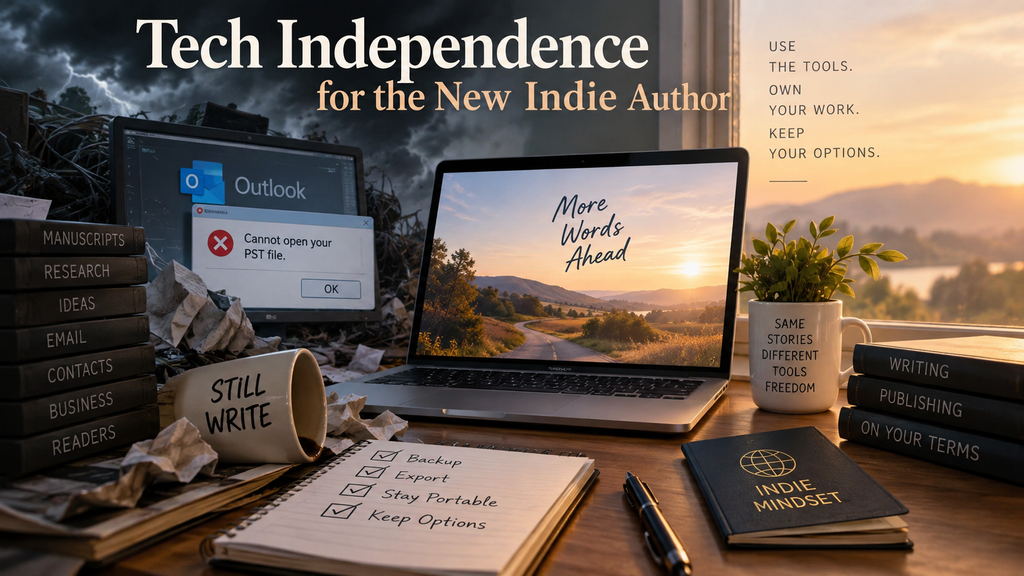
A little while ago, I said in an author discussion group: Indie is a mindset. It has no borders. Judging by the thumbs-up count it got, it hit a nerve.
We tend to define “indie author” according to how someone publishes. If you publish your own books, you’re indie. If you sign a contract with a traditional publisher, you’re not. But the New Indie Author isn’t defined by publishing method.
Independence is about agency. And if you’re serious about independence, sooner or later you have to think about the technology you use to run your writing business.
Don’t panic. I’m not going to tell you to abandon Microsoft, delete your Google account, install Linux and spend the weekend learning how to operate your own email server. In fact, my rule is almost the opposite: Use whatever software you like. Just know where the exits are.
The Day Word Stopped Saving My Work
I use Microsoft Word. Actually, I use most of the Microsoft 365 suite and have for years. But I use Word for writing my books. Word is process-agnostic and lets me write the way I want to write. Plus, Word files are an industry standard, these days.
I’ve tried alternatives. In fact, for about six months, I used LibreOffice Writer exclusively. Not because I had suddenly developed strong philosophical objections to Word. I switched because Word stopped saving my work.
Yes. A word processor that thought saving work was an add-on feature that I hadn’t installed.
You can see the difficulty.
I spent months trying various solutions while waiting for whatever combination of Microsoft updates, Windows updates, software gremlins and phases of the moon was causing the problem to sort itself out. In the meantime, I had books to write. So, I moved to Writer.
Writer works. I don’t like it as much as Word. Some of that is simply familiarity. I’ve used Word for decades, and differences that would be trivial to a new user can become surprisingly irritating when your fingers expect things to work a particular way. I have keyboard shortcuts down cold, so that I don’t even have to think about them. I just watch what’s happening on the screen.
There are also things I don’t think Writer handles as well, including styles and images. But it opened my files. I could write. I could edit. I could save my work. For those six months, that was what mattered.
Eventually, the problem with Word disappeared. I moved back. The experience didn’t convince me that I should abandon Microsoft Word. It taught me something much more useful: I can abandon Microsoft Word.
If Word becomes unusable again—or Microsoft eventually makes using it more painful than I’m willing to tolerate—I can move everything over to Writer. I can be up and running in less than an hour. More importantly; I won’t lose any of my work making the switch.
That’s tech independence.
Independence Doesn’t Mean Using Inferior Tools
There’s a particular flavour of technology advice that insists true independence requires using open-source software, storing everything locally and avoiding large technology companies whenever possible. That’s not what I’m suggesting.
Software is a tool. If a particular tool makes you more productive, use it. I prefer Word to Writer, so I use Word.
Switching software has costs. You lose time learning new commands. Features work differently. Some features disappear altogether. Your carefully developed workflow gets disrupted. You spend three hours figuring out how to do something that took three seconds yesterday.
Changing software simply to prove that you can isn’t independence. It’s Tuesday afternoon with nothing better to do.
The problem begins when “I prefer this software” turns into: “I cannot continue my business without this software.” Those are very different things.
Tech independence doesn’t mean refusing to depend upon technology. It means refusing to be trapped by any particular technology.
The Fifteen-Year Email File
Years ago, when I had a day job with a large government department, one of my coworkers—let’s call her Jill. Jill came and sat on the visitor chair next to my desk. Her eyes were suspiciously moist and she was trembling.
When I asked her what was wrong, it took her three tries to tell me. “My PST file has corrupted.”
For non-Outlook users, that’s the shorthand version of saying that the single file that Microsoft’s email manager, Outlook, uses to store all your emails, rules, filters, calendar appointments and tasks corrupts beyond use.
Once your PST file has corrupted, often the only alternative is to delete the file and start with a fresh one. Believe me, I’ve tried to find other options. Many of the commercial recovery options are expensive or just don’t work, or don’t completely recover your data. And it’s telling that there are many commercial PST recovery services out there.
Starting a new PST files requires setting up your email accounts all over again, along with all your options, preferences, filters, etc. It also means you lose all your stored email, appointments and tasks.
They’re just gone.
As you have no doubt deduced from this, Outlook PST files have a bad habit of corrupting without warning. You try to open Outlook one morning and you get the dreaded messages that the PST file can’t be opened. Disaster stories about PST files crashing are legion.
So when Jill told me her PST file had corrupted, I nodded sympathetically. That was a pain, to be sure.
“No, you don’t get it,” she said. “I’ve been working here for fifteen years. All my emails are in Outlook.”
I grew still. “All of them? All fifteen years worth of emails?”
She nodded, and then she cried. And I don’t blame her for that at all.
And at the end of the day, she booked off the following two days as vacation time. No one else blamed her for that, either.
Think for a moment about what can accumulate in fifteen years of business email. Correspondence. Attachments. Decisions. Contacts. Records. The institutional memory of thousands upon thousands of conversations.
And the important thing here is that the file was local. My coworker had the data. Until she didn’t. Which brings us to something writers sometimes muddle together. Backup, control and portability aren’t the same thing.
A backup answers: If something goes wrong, can I recover my information?
Control asks: Can I access my information independently of the company or application currently holding it?
And portability asks: If I stop using this software, can I take my information with me?
You need to think about all three.
“Exportable” Doesn’t Necessarily Mean “Portable”
This is where things get interesting. Most software companies know that customers don’t like the idea of being locked in, so an increasing number of services provide some way to export your data.
Excellent. If you’re assessing a new app or piece of software and spot that your data is exportable, give it a big thumbs up. But don’t stop there. Ask what comes out the other end.
If an application exports your life’s work into a proprietary file that can only be opened by that application, you haven’t accomplished much. You’re safe if that app corrupts or crashes. You can import your data and be up and running once more.
But what if the app disappears completely? What if they change the software so that you personally object to using it? Or the features that made the software wonderful disappear.
Increasingly, these days, two things will happen that make using the software intolerable: 1) They add so many new features and facets and services, that it becomes a genuine pain in the rear to get your work done. Or, 2) they drive the monthly or yearly subscription price up beyond your budget reach, or your tolerance. Usually because of all the new features and services they’ve bolted on.
If the export of your data gives you six gigabytes of machine-readable gibberish that technically contains all your information, but you cannot open it or import it into a different program, it’s useless.
But there’s another mistake we can make here, too. We can set the standard for portability too high.
You Don’t Need to Reproduce the Software
Take Obsidian. Obsidian does some things that would be difficult to reproduce exactly in another application. Depending upon how you’ve configured it, you might have plugins, links, queries and workflows that you couldn’t simply pick up and transfer somewhere else tomorrow.
But the underlying notes are Markdown files. A text editor can read them. You can edit them. Other Markdown software can read them.
If Obsidian disappeared tomorrow, you might lose some functionality. Your workflow might become horribly inconvenient while you figured out what to do next. But your words would still be there. That’s what matters.
Notion presents a similar problem. There isn’t necessarily another application waiting around that will reproduce your Notion workspace exactly as you’ve built it. But you can export the information.
Pages can be preserved in formats other applications can read. Database information can be exported into forms that spreadsheet software can understand. Files and other assets can be retrieved.
You may lose the beautiful system you built around the information. You don’t lose the information. That’s the distinction I care about. Your data doesn’t have to be comfortable outside your favourite software. It has to be alive.
That is why, all those years ago when my co-worker lost 15 years worth of business communications and superstructure in a second, I started storing my emails outside of Outlook. I keep archives on my hard drive, now. Really important emails, I will PDF. Experts argue that PDF is a proprietary format that can disappear eventually, but it is so ubiquitous now that I’m betting my data on the fact that PDF editors will be around long after Adobe disappears.
If my Outlook PST file corrupts, which it does about once a year, I can recover. I won’t sit and cry while I explain to someone that I’ve just lost 15 years of work, or even one year of work.
Outlook’s constant corruptions aside, there is no other email manager out there that does what Outlook does. Thunderbird is the closest alternative but comes with a couple of genuinely painful limitations that makes switching to it now a no go. But if Outlook disappears (or stops working the way I want, or the price goes up too high, etc.), I will drop back to Thunderbird. It will take a couple of hours to set up, then I’ll be back to business as almost-usual.
In the meantime, I’m waiting. Sooner or later, someone will develop an email program that does everything I really need and also synchronizes across devices (a Thunderbird limitation), and I will have that new program as my fall back.
You Also Have Time
This is the reason you don’t need a perfect replacement waiting in the wings. Software doesn’t usually become intolerable overnight.
Sometimes it does. Companies shut down. Services fail. Accounts get locked. Software develops bugs that make basic functions such as, oh, I don’t know, saving your work unreliable.
That’s why we have backups. But more often, the pain accumulates. Prices rise. Features you liked disappear. Features you don’t want get added. The interface gets “improved.”
Performance deteriorates. Terms change. The company takes the product in a direction you don’t particularly want to follow.
Eventually, you reach your personal threshold and say: Enough.
Here’s the useful thing. You probably won’t be the only one. If a popular piece of software spends the next six years irritating its customers, by the time you’re finally ready to leave, somebody may have done something about it.
Perhaps a competitor will have improved. Perhaps someone will build an importer. Perhaps an open-source alternative will emerge. Perhaps a clever programmer will write a conversion utility.
Perhaps NotionAlternative2032 will be exactly what you’ve been waiting for. Or perhaps your own needs will have changed so much that you won’t even want a direct replacement.
You don’t have to solve a hypothetical problem six years before it exists. You just have to make sure that, when the time comes, you have your data and can jump over to it.
My Notion Exit
That’s where I am with Notion right now. It used to worry me that Notion has no other lookalike out there. Its user-friendly databases are incredibly useful and save me hours of work (I know that because Notion is a new-to-me app that I only started using in the last year–so I know exactly how much manual work it took me, and how long it took, before I built databases in Notion.)
Despite its unique qualities, I’m still using Notion. Why? Because it lets me export my data in a useable format. It’s not a proprietary, massive file that nothing else in the world can read.
The export file is a mess, but it’s a tameable mess. Databases are exported as spreadsheets, which Excel, Google Sheets, and LibreOffice Calc (among others) can all read. The pages of a database are exported as Markdown files, which Obsidian and more than a dozen other applications can open and read, including the native text editor that comes with your operating system. The Markdown files have any embedded images stored right next to them. Any attachments you add to Notion pages are exported in their native format.
You lose nothing.
If Notion ever disappears or reaches a point where I can’t continue using it anymore, working without it would be painful, but not impossible. And by the time I reach the point where Notion and I must part, there might be a new alternative out there that provides some or most of the features that makes Notion such a great program to use right now.
The New Indie Tech Test
Here’s something practical you can do today. Pick the five pieces of software or online services that are most important to your writing business.
- Your word processor might be one.
- Your email or newsletter service.
- Your website.
- Your notes or research system.
- Your cloud storage.
- Your bookkeeping system.
Whatever applications would make you vomit or cry if you discovered tomorrow morning that you couldn’t access them are good candidates for assessment.
And I suspect that you already know which applications’ demise would do that. You’ve probably identified them in your head just reading through this post. The sinking, gut-clenching feeling that makes you not want to get out of bed when you wonder “what would I do if I couldn’t use that?”
Now ask four questions.
1. Can I back it up?
If something goes catastrophically wrong tonight, is there another copy? Not another copy somewhere inside the same system. Another copy.
And when was the last time you checked?
2. Can I get my data out?
Does the application let you export your information? Have you ever actually tried?
This is worth testing before you’re furious with the company, your account is malfunctioning, or you have three days to migrate somewhere else.
3. Can I read and edit what comes out?
This is the important test. Don’t ask whether another application can perfectly reproduce your existing setup. Ask whether your underlying information remains useful.
- Can a text editor read it?
- Can a spreadsheet open it?
- Can another word processor edit it?
- Can you see your images?
- Can you retrieve your attachments?
- Could you keep working, even awkwardly, while you figured out a better solution?
If yes, you’ve preserved something enormously valuable. You’ve preserved time.
4. Have I left myself options?
You don’t necessarily need a Plan B installed, configured and sitting on your computer waiting for launch. But you should have enough control over your data that you can solve tomorrow’s problem with tomorrow’s tools.
That’s what portability buys you.
What Do You Actually Need to Protect?
For an indie author, start with the things that would seriously interfere with your ability to write, publish or earn money if you couldn’t access them tomorrow.
- Your manuscripts.
- Your finished book files.
- Your covers and artwork.
- Your research and story notes.
- Your mailing list.
- Your website and blog content.
- Your business records.
- Your book metadata.
- Your important email and correspondence.
- Your contacts.
- Your publishing and production records.
The exact list will be different for everyone. The question is the same: If this disappeared tomorrow, could I continue?
If the answer is no, you’ve found a vulnerability that you need to amend. Make fixing that vulnerability a priority.
And if the software you use doesn’t allow you to export and store your own data? This is a tough situation with only one course of action and that action hurts: You must find an alternative. Otherwise, you risk being held hostage by a tech company that doesn’t care about your business.
You don’t have to jump to a new app straight away. Platforms, apps and services generally take time to enshittify beyond use, and give out lots of warning signs if you know what to look for. But not always. Companies can financially collapse overnight. Sites and online platforms can disappear in a second.
So don’t wait too long to figure out an alternative that does let you control and store your own data.
Get Geeky
Backup your data. From everything. Store it on a hard drive that is also being backed up (I have both cloud storage backup and BackBlaze, that silently saves absolutely everything on every drive and has saved my butt multiple times over the decade I have been using it).
How often do you need to back up? Ask yourself: If I lost a month’s worth of data, would that be a disaster? If yes, then back up every two weeks. If even two weeks’ worth of data loss would be bad, back up every week. Some apps and services might dictate that you back up every day.
Add reminders to your task manager (along with short cuts to the software’s backup settings). And make sure you back up when the task manager reminds you to. Don’t blow it off—it will feel tempting to tell yourself that nothing is going to happen in the next two weeks and you just don’t have two minutes to spare right now.
Exporting, backing-up and making copies is a zero-cost form of insurance. It pays to get geeky and build little routines and systems that protect your data, and save you from vomiting, crying, or a hemorrhagic stroke.
You’ll sleep better. Trust me.
Indie Is a Mindset
Indie authors have spent years talking about independence from publishers. We don’t need someone in New York to give us permission to publish a book. That’s an important form of independence.
But I think the New Indie Author needs to think more broadly. Independence isn’t a publishing mode. It’s a mindset. And it has no borders.
You can publish traditionally and think independently. You can self-publish while making yourself utterly dependent upon one retailer, one platform, one software company or one source of access to your readers.
Real independence isn’t about refusing to work with other people or other companies. That’s neither practical nor particularly desirable. We all use hardware somebody else built, operating systems somebody else maintains, applications somebody else programmed, servers sitting in somebody else’s data centre, payment systems, retailers, distributors and a hundred other pieces of infrastructure.
We are going to depend upon other people’s technology. The trick is deciding what they get to control.
Your favourite word processor can make writing easier. It shouldn’t own your manuscript.
Your favourite mailing service can make communicating with readers easier. It shouldn’t own your relationship with those readers.
Your favourite organizational software can make an enormous pile of information useful. It shouldn’t be the only thing capable of making that information intelligible.
Use the tools. Enjoy them. Pay for the good ones. Let them make your work easier.
Just make sure you can leave. Because the goal isn’t technological purity. It’s agency. Own the things that matter. Rent the tools that make them better.
Know how to leave.
Now Available.

The Anti-Ensh*ttification Field Manual for Indie Authors:
Because the platforms will decay…but your career doesn’t have to go down with them.
Now Available.

The Indie Author Survival Guide
How to Stay Profitable, Productive and Sane in a Tougher Market
Now Available.

The Productive Indie Fiction Writer: Strategies for Writing More, Earning More, and Living Well
Write More, Faster Than Ever Before | Are You Prolific?
Editing Your Next Novel? Mark Posey offers fast, writer-friendly edits with zero drama. Check out services »